

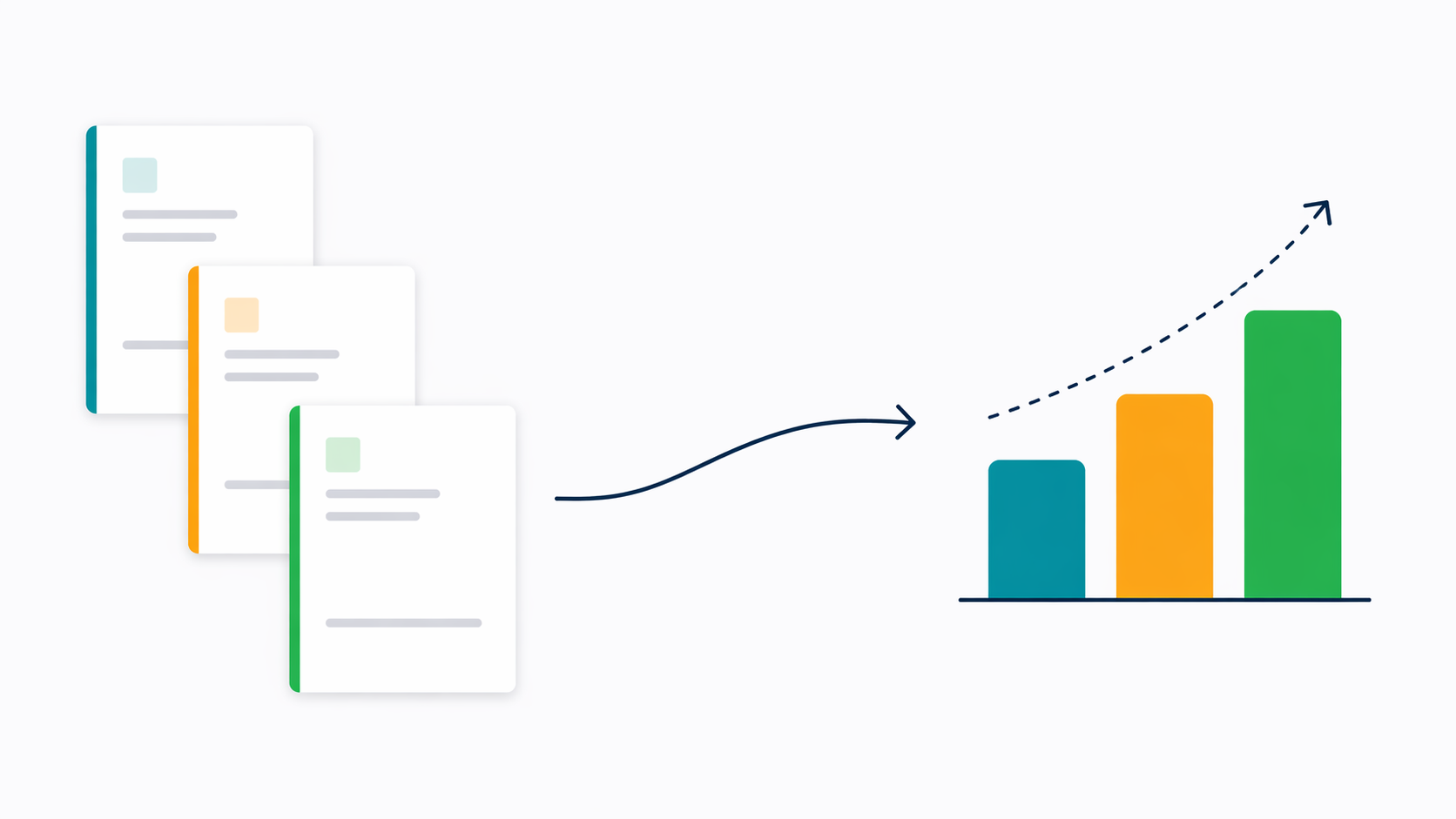
Know your project margin before the invoice goes out — not after. Most IT outsourcing companies find out their projects are unprofitable the wrong way: from the invoice. By the time the hours are totalled and the rates applied, the over-run has already happened. Nobody caught it in week three when it could have been corrected. Synthelio connects approved timesheets, SoW rates, and employee costs in real time — so you see revenue versus cost per project as it runs, not after the billing period closes.
Key capabilities:
• Statements of Work — statustracking (Draft, Signed, Expired), multi-currency, PDF download, CRM link
• Purchase Orders — PO linkedto SoW and project; PO amount vs. invoiced tracked automatically
• Invoice generation —approved hours × SoW rate = invoice line items; zero manual data entry
• Real-time margin tracking —revenue vs. cost per project visible live as timesheets are approved
• Multi-currency — USD, EUR,GBP, PLN and more; FX conversion applied automatically
• QuickBooks integration —sync invoices from Synthelio to your accounting tool

Statements of Work in Synthelioare the financial foundation of each client engagement. Every SoW stores:
• SoW name
• Client account
• Amount and currency
• Status: Draft or Signed
• Valid period: start dateand end date
• Link to the connected CRMdeal
• Link to the associatedPurchase Order
SoWs can be downloaded as PDFsdirectly from Synthelio. The status is tracked — Draft until the client signs,then Signed, and Expired at the end of the valid period. Expired SoWs remain inthe system for historical reference.
The billing rates defined in a SoWare what Synthelio uses to generate invoices. When approved timesheet hours arepicked up by the invoice generator, the SoW rate is applied automatically. Thismeans the connection from signed contract to accurate invoice is automatic andtraceable.
Purchase Orders from clients arestored in Synthelio and linked to the relevant SoW and project. For each PO,Synthelio tracks:
• PO name and referencenumber
• Client account
• Amount and currency
• Associated SoW
• Invoices raised againstthis PO
The PO amount versus invoicedamount is tracked automatically. When invoices are generated and linked to aPO, the remaining PO balance reduces. Finance can see at a glance how much ofeach PO has been invoiced and how much remains.
The PO tracking feature prevents acommon problem in IT outsourcing billing: invoicing work that isn't covered byan authorised PO. When a project approaches the PO limit, the finance team cansee it coming and request a new PO from the client before the limit isexceeded.
Invoices in Synthelio aregenerated from approved timesheets. The process is:
1. Timesheets for the billingperiod are submitted and approved by managers.
2. Synthelio identifies theapproved hours for billable projects in the billing period.
3. The SoW billing rate isapplied to the approved hours to generate invoice line items.
4. Finance reviews the draftinvoice, adjusts if necessary, and sends or syncs to the accounting tool.
There is no manual data entry forinvoice line items. The hours come from approved timesheets. The rates comefrom the SoW. The connection is automatic.
Line items can be grouped byemployee, by project, or by billing code — depending on how the client expectsto receive their invoice. If timesheets for the billing period have not beenfully approved, Synthelio flags this before the invoice is generated.
Project margin in Synthelio iscalculated from two data points: the approved timesheet hours costed at theemployee's internal rate (their cost to the company), and the approvedtimesheet hours billed at the SoW rate (their revenue to the company). The differenceis the margin.
This calculation happens in realtime as timesheets are approved. It doesn't require the billing period toclose. A delivery lead or finance manager can see the margin position of anyproject at any point during the project — not just at the end.
Projects running at a margin belowthe expected threshold are visible before the invoice goes out. This givesdelivery leads and account managers the opportunity to:
• Identify scope creep earlyand have the conversation with the client
• Understand which projecttypes or clients are consistently less profitable
• Make pricing decisionsbased on real margin data rather than estimates
Synthelio handles multi-currencySoWs, purchase orders, and invoices natively. Supported currencies include USD,EUR, GBP, PLN, and others. Additional currencies can be configured inFinancials Settings.
For organisations running projectsin multiple currencies, FX rates are applied automatically to cost and revenuecalculations. Multi-entity organisations can have different base currencies perlegal entity, with financial reporting respecting entity boundaries.
Duis dui nibh, dapibus vitae elementum nec, accumsan sed ex. Maecenas euismod turpis eget arcu elementum ultricies.
Know your project margin before the invoice goes out — not after. Most IT outsourcing companies find out their projects are unprofitable the wrong way: from the invoice. By the time the hours are totalled and the rates applied, the over-run has already happened. Nobody caught it in week three when it could have been corrected. Synthelio connects approved timesheets, SoW rates, and employee costs in real time — so you see revenue versus cost per project as it runs, not after the billing period closes.

Sed sagittis tempor erat, in rutrum odio lobortis sit amet. In finibus purus et lectus ultricies, vitae tempor odio venenatis.
Duis eget lorem in neque volutpat maximus. Ut lobortis aliquam maximus. Nam dignissim dictum leo ut rutrum.
Vivamus sagittis ligula ut nisi dignissim hendrerit. Nullam interdum ligula lorem, maximus sodales dolor molestie ut.

Aenean viverra ex ante, id vestibulum velit congue non. Vestibulum quis ante quis erat gravida scelerisque. Morbi tempor orci quis tempus aliquet. Nullam vitae elit et ligula ultrices ornare ac non justo.
Maecenas tempor, odio sit amet vestibulum finibus, lacus erat tempor massa, nec aliquet nulla dolor quis tellus. Mauris mattis sapien quis ultrices dictum. Morbi sed iaculis ex.
Suspendisse mollis sem vel sapien iaculis, et iaculis libero vestibulum. Pellentesque dui libero, blandit pulvinar sapien et, consectetur dapibus massa.
Nam vitae quam tortor. Phasellus molestie mauris sit amet maximus mattis. Suspendisse convallis sapien nisi, vitae vestibulum augue posuere vitae. Fusce posuere tincidunt sodales.
Morbi euismod libero congue sem bibendum pulvinar vitae a odio. Sed non dui lobortis, accumsan purus in, laoreet tortor. Suspendisse eu faucibus nisl. Suspendisse pulvinar ut sapien eu dictum.
Visit our support page or contact our support team.
Donec venenatis nunc sit amet orci tempor, id feugiat ligula dapibus. Sed quis nibh vitae magna aliquam consectetur nec ac elit.



.svg)

.svg)