

Watch revenue, cost, and margin update as work is logged and billed, so profitability is something you see live instead of discovering at month-end.
Status tracking (Draft, Signed, Expired), multi-currency, PDF download, and CRM link.
POs linked to SoW and project, with PO amount vs invoiced tracked automatically.
Approved hours times SoW rate becomes invoice line items, with zero manual entry.
Revenue vs cost per project, visible live as timesheets are approved.
USD, EUR, GBP, PLN and more, with FX conversion applied automatically.
Sync invoices from Synthelio straight to your accounting tool.
Margin is calculated live from two numbers, so a project that is slipping shows up during delivery, not at month-end.
Approved hours billed at the SoW rate.
Approved hours at each employee internal rate.
Revenue minus cost, updated live as timesheets are approved.
Internal cost, client cost, revenue, and margin per month, with margin % flagged green, amber, or red, so an underwater project surfaces before the invoice goes out.

No re-keying. Approved hours carry the SoW rate straight into invoice line items, ready for finance to review.
Hours are submitted and approved for the billing period.
Approved hours are billed at the rate on the linked SoW.
Invoice line items are created automatically, grouped as you need.
Finance reviews, then sends or syncs to QuickBooks.
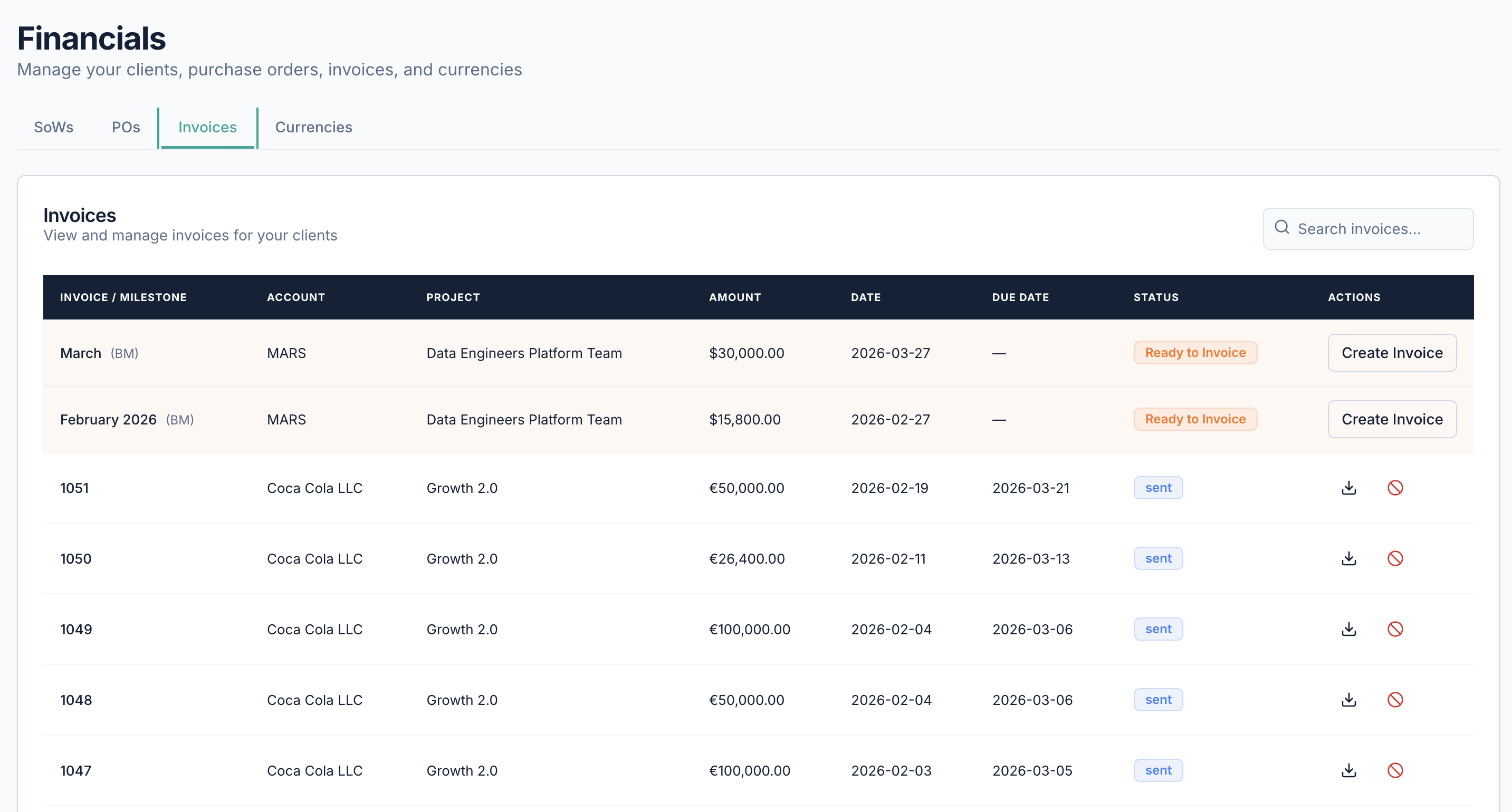
Statements of Work carry the billing rates that generate invoices, and each PO tracks amount versus invoiced, so you request the next PO before coverage runs out.
USD, EUR, GBP, PLN and more, with FX applied automatically, and invoices sync to QuickBooks so finance never re-keys data.
Answers to the questions teams ask most about this part of Synthelio.

Revenue is approved hours billed at the SoW rate; cost is approved hours at the employee's internal rate. The difference is margin, updated live as timesheets are approved.
Approved timesheet hours are multiplied by the SoW billing rate to create invoice line items automatically, with no manual data entry.
Yes. POs are linked to their SoW and project, and PO amount versus invoiced is tracked automatically so you always see remaining coverage.
USD, EUR, GBP, PLN and more, with FX conversion applied automatically. Multi-entity organizations can use different base currencies per legal entity.
Invoices sync from Synthelio to QuickBooks, so finance doesn't re-key data between systems.
Visit our support page or contact our support team.
See allocations, billability, and bench time update the moment work changes. Get early access and plan your next engagement with confidence.