
Stop finding out your team has been on the bench at the end of the month. In IT outsourcing, bench time isthe most expensive problem you don't see until it's too late. An engineerfinishes a project and nobody notices for a week. Multiply that across a50-person team over a quarter and you're looking at a margin problem an end-of-monthreport can't fix. Synthelio's Resource Management module gives you real-timevisibility across your whole team — so you see the bench forming in week oneand act before the cost is sunk.

Resource Management

Key capabilities:

•    Real-time Gantt view — every employee's availability, allocations, and bench time in one timeline

•    Billability % per person — auto-calculated from Hard Booked hours, colour-coded, always live

•    Demand planning — log openresource needs by role, seniority, and technology before hiring is urgent

•    Skills database — primary/secondary role, seniority, tech stack, CV upload, full CSV export

•    Resource request workflow — formal approval process with audit trail, replacing ad-hoc Slack messages

•    FTE and calendar settings — part-time employees, country-specific holidays, multi-entity support

The Allocation Gantt

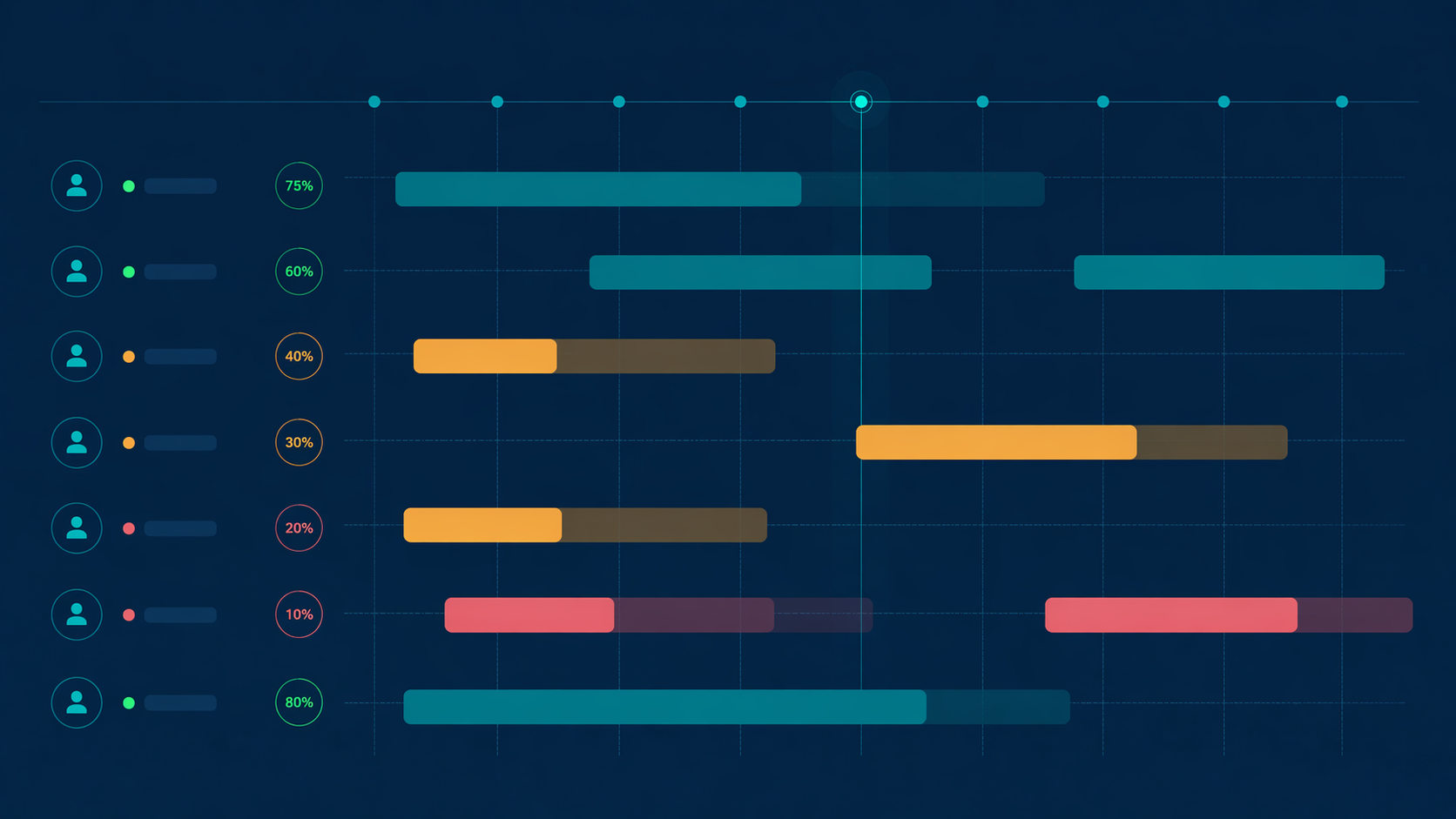
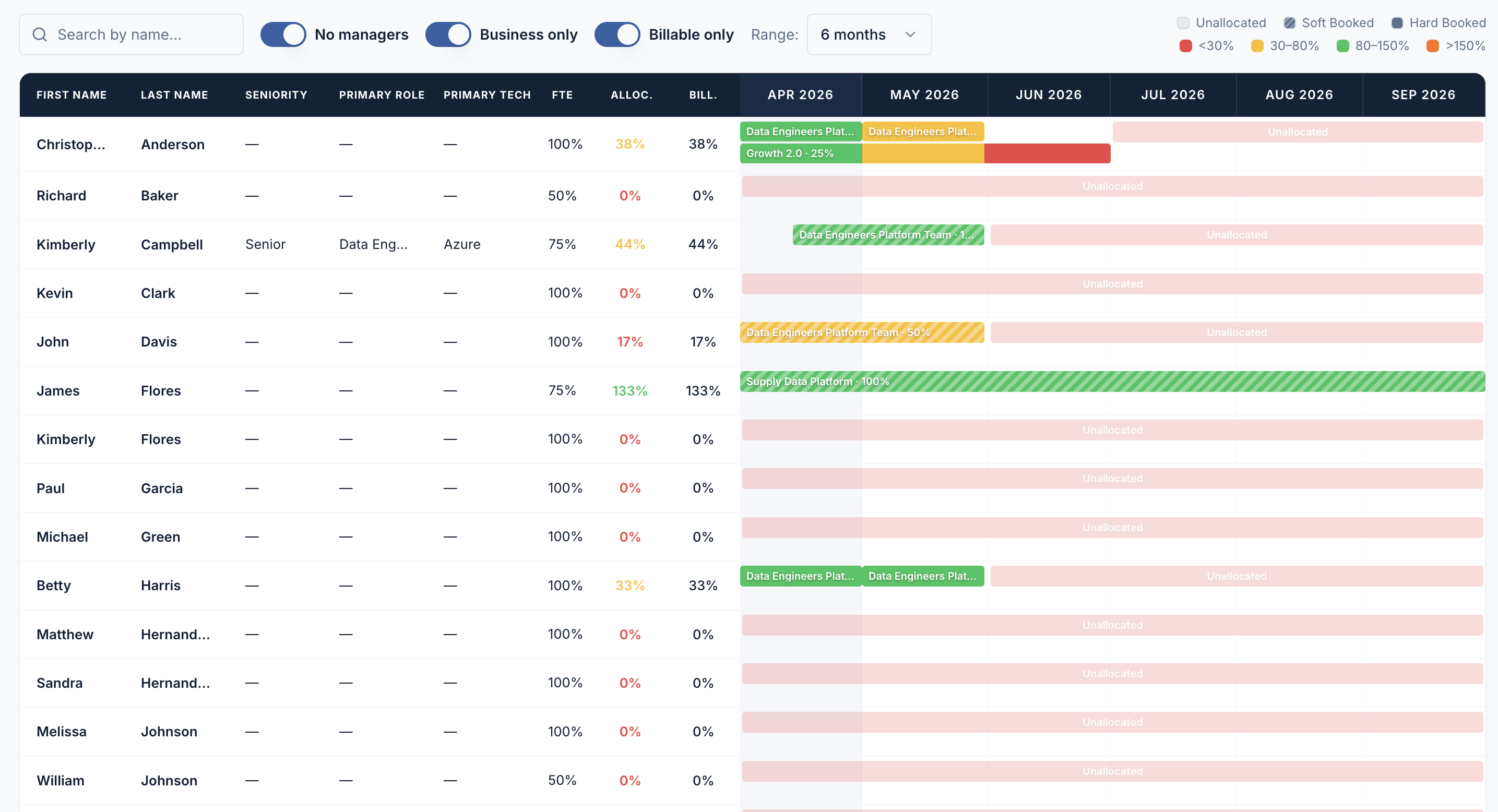
The Gantt view is the core ofresource management in Synthelio. Every employee appears as a row. Theirproject allocations appear as colour-coded bars across a rolling timeline.Unallocated time — bench time — appears as light pink, immediately visible withoutany filtering or calculation.


Each allocation bar carries itsbooking status:

•    Hard Booked: confirmedallocation. Counted in billability percentage calculation.

•    Soft Booked: tentativeallocation. Shown as a dashed bar. Not counted in billability.

•    Unallocated: no currentallocation. Shown as a continuous light pink bar — bench time.


The Gantt view can be filtered bymanager, organisational unit, business type (billable vs internal), and timerange (1 month to 12 months). Filters combine — you can see only your billableemployees in CPG BU for the next 6 months, for example.


Billability tracking

Billability percentage iscalculated automatically. Synthelio takes an employee's Hard Booked hours anddivides them by their total available hours — based on their FTE percentage andworking calendar. The result updates live as allocations change.


Billability percentage isdisplayed per employee in the Allocations view with colour coding:

•    Red: below 30% — theemployee is effectively on the bench

•    Amber: 30–80% — partiallybillable, capacity available

•    Green: 80% and above —fully or near-fully billable


You can filter the view to showonly billable employees and only business-type projects — removing internal andbench rows — to focus on revenue-generating capacity. Billability can beexported to CSV for reporting.


An important distinction: anemployee who is over 100% billable is overallocated. Synthelio flags this too.Over-allocation and under-allocation are both visible, and both require action.


Resource requests and approval workflow

When a project manager needs toadd a person to a project, they submit a resource request in Synthelio. Therequest specifies the employee, the project, the dates, the allocationpercentage, and the booking type (Soft or Hard). The request goes to the relevantmanager for approval.


This replaces the informal Slackmessage or email that gets lost. Every request has a status, a requester, anapprover, and a timestamp. The audit trail is permanent.


The request workflow handles twocases:

•    Direct reports: the managerapproves directly

•    Non-direct reports: therequest goes to the employee's unit manager for approval


Demand planning

The Demand tab in ResourceManagement lets delivery leads and sales log open resource requirements beforea project starts — or even before a deal is closed. Each demand recordspecifies:


•    Project or CRM deal it'slinked to

•    Role required (e.g. SeniorData Engineer, Azure Architect, React Developer)

•    Seniority level

•    Primary technology

•    Start date, end date, andallocation percentage


All open demands are visibleacross the organisation. Recruitment can see what roles need to be filled andwhen. Delivery can see what's coming before it becomes urgent. The gap betweensales closing a deal and delivery staffing it becomes days, not weeks.


Skills and CV database

Every employee in Synthelio has askills profile. The profile stores:


•    Primary role (e.g. DataEngineer, Backend Developer, Project Manager)

•    Secondary role

•    Seniority level (Junior,Mid, Senior, Lead, Principal)

•    Primary technology (e.g.Azure, Python, React, Salesforce)

•    Secondary technology

•    CV file — uploaded directlyto the employee profile


The full team skills matrix can beexported to CSV at any time from the Skills tab. When a client sends an RFPasking for CVs and skills profiles, you have everything in one place.Responding takes minutes instead of hours.


FTE and availability settings

Each employee's FTE percentage andworking calendar are set in their People profile and flow automatically intoResource Management. A 50% FTE employee has half the available hours of a 100%FTE employee. This is reflected accurately in both the Gantt view and thebillability calculation.


Working calendars arecountry-specific. National holidays are built into each calendar — UK, US,Poland, and others. When a national holiday falls during an employee'sallocation, their available hours adjust automatically. No manual correctionrequired.

Find out how shared inboxes empower your team

Duis dui nibh, dapibus vitae elementum nec, accumsan sed ex. Maecenas euismod turpis eget arcu elementum ultricies.

Resource Management

Stop finding out your team has been on the bench at the end of the month. In IT outsourcing, bench time isthe most expensive problem you don't see until it's too late. An engineerfinishes a project and nobody notices for a week. Multiply that across a50-person team over a quarter and you're looking at a margin problem an end-of-monthreport can't fix. Synthelio's Resource Management module gives you real-timevisibility across your whole team — so you see the bench forming in week oneand act before the cost is sunk.

  • Etiam tempor metus a sem tincidunt, eu mollis neque finibus.
  • Donec molestie in neque a ultrices.
  • Sed ante ex, faucibus id diam elementum, luctus luctus leo.
Get Started

Assign roles to members

Sed sagittis tempor erat, in rutrum odio lobortis sit amet. In finibus purus et lectus ultricies, vitae tempor odio venenatis.

  • Aenean gravida sit amet ex venenatis ornare.
  • Suspendisse id orci sit amet magna dapibus facilisis in vitae erat.
  • Sed nunc eros, egestas ac ex quis, varius vulputate est.
Get Started

Leave notes for your team

Duis eget lorem in neque volutpat maximus. Ut lobortis aliquam maximus. Nam dignissim dictum leo ut rutrum.

  • Proin tempor sit amet massa vitae malesuada.
  • Nulla urna erat, tincidunt ac gravida ut, blandit eget eros.
  • Nunc sit amet justo tincidunt, scelerisque metus vel, molestie elit.
Get Started

Shared inbox FAQs

Vivamus sagittis ligula ut nisi dignissim hendrerit. Nullam interdum ligula lorem, maximus sodales dolor molestie ut.

How can I add team members to a shared inbox?

Aenean viverra ex ante, id vestibulum velit congue non. Vestibulum quis ante quis erat gravida scelerisque. Morbi tempor orci quis tempus aliquet. Nullam vitae elit et ligula ultrices ornare ac non justo.

How do I assign emails to specific team members?

Maecenas tempor, odio sit amet vestibulum finibus, lacus erat tempor massa, nec aliquet nulla dolor quis tellus. Mauris mattis sapien quis ultrices dictum. Morbi sed iaculis ex.

How secure is the data in a shared inbox?

Suspendisse mollis sem vel sapien iaculis, et iaculis libero vestibulum. Pellentesque dui libero, blandit pulvinar sapien et, consectetur dapibus massa.

Can I customize the layout of my shared inbox?

Nam vitae quam tortor. Phasellus molestie mauris sit amet maximus mattis. Suspendisse convallis sapien nisi, vitae vestibulum augue posuere vitae. Fusce posuere tincidunt sodales.

Can I use tags or labels to organize emails in a shared inbox?

Morbi euismod libero congue sem bibendum pulvinar vitae a odio. Sed non dui lobortis, accumsan purus in, laoreet tortor. Suspendisse eu faucibus nisl. Suspendisse pulvinar ut sapien eu dictum.

Still got questions?

Visit our support page or contact our support team.

Contact Us

Get started with Reply today

Donec venenatis nunc sit amet orci tempor, id feugiat ligula dapibus. Sed quis nibh vitae magna aliquam consectetur nec ac elit.